

I tested WP Video Magic because hosting video on WordPress can be expensive and technically complex, and I wanted to see if this plugin actually makes Amazon S3 / CloudFront and Dropbox video delivery simple and affordable. In this review I cover why this matters for site speed, SEO and visitor experience, and what you should know before buying on AppSumo.
If you want lower hosting costs and fast delivery without deep server knowledge, this is the feature set you should care about. I also look at real WP Video Magic reviews so you can weigh the benefits against the reported issues.
TL;DR
|
Feature |
Verdict |
|---|---|
|
Ease of Use ⏱️ |
⭐️⭐️ – Setup can be finicky; several users report activation or plugin conflicts that stop the plugin from working. |
|
Features 🎯 |
⭐️⭐️⭐️ – Solid feature set (S3/CloudFront, Dropbox, shortcodes, floating video, timed content) once configured. |
|
Support & Documentation 🛠️ |
⭐️ – Many WP Video Magic reviews report poor or slow support and outdated training. |
|
Value 💸 |
⭐️⭐️⭐️ – Price is attractive at $27 for a 10-site license (original $67), good value if it works in your environment. |
WP Video Magic
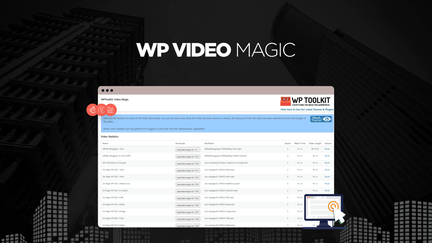
I tested WP Video Magic because I wanted a cheaper, faster way to serve videos on WordPress without paying big monthly fees. The plugin leans on Amazon S3 and Cloudfront (and offers Dropbox as a free option) so you get CDN-level delivery without needing to be a cloud expert. For everyday use I dropped course clips and blog videos in and used shortcodes to embed them — the floating video and timed content features are handy for keeping attention on sales or tutorial pages.
For special events like webinar replays or limited-time demos, the timed content and stats make it easy to highlight key moments. Setup wasn’t flawless for everyone — a few people hit plugin conflicts or activation errors — but once it was running for me, playback felt fast and the admin UI made placing videos simple.
If you’re budget-conscious and okay troubleshooting occasional conflicts or reaching out to support, WP Video Magic can be a practical choice. I’d also read WP Video Magic reviews on AppSumo (search WP Video Magic appsumo) to see recent user experiences before buying, since support responsiveness and compatibility have been common themes.
Pros and Cons
|
Pros |
Cons |
|---|---|
|
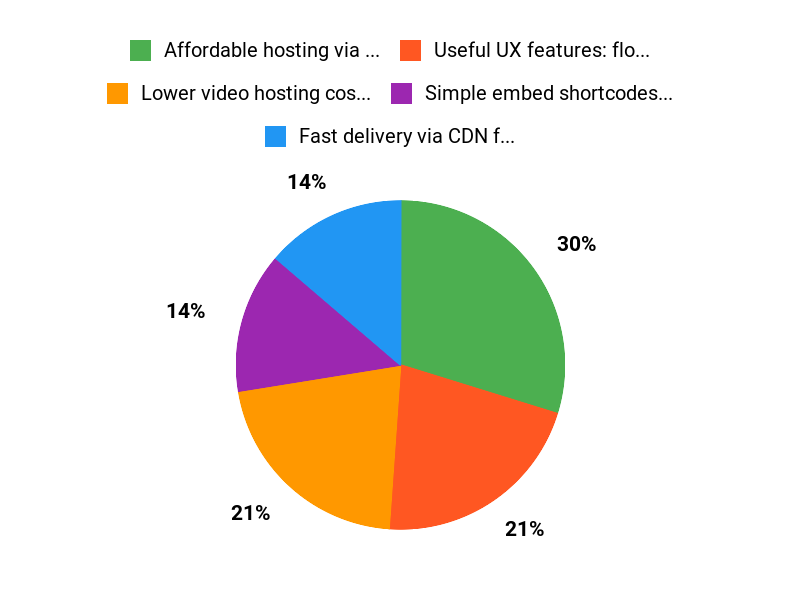
✅ Affordable hosting via S3/Cloudfront and Dropbox |
❌ Several users report activation failures and plugin conflicts |
|
✅ Useful UX features: floating videos, timed content |
❌ Mixed support responsiveness and outdated training for some |
|
✅ Simple embed shortcodes and basic analytics |
❌ Mobile playback issues reported when used with certain builders |
What People Say
People praise the cost savings and CDN delivery (S3/Cloudfront) and like the shortcode workflow, but multiple WP Video Magic reviews mention activation errors, conflicts with plugins like security add-ons and Elementor, and slow or unhelpful support responses.
Overall Sentiment: Negative

🗣️ comitpro
I had issues at first because of a security plugin conflict, but after resolving that WP Video Magic was straightforward. The S3/Cloudfront and Dropbox integration worked well, and the shortcodes made embedding simple. I’d like direct upload to buckets and default settings for videos, but overall it does what it promises once set up.
Long-Term Cost Benefits
Using S3 and Cloudfront can drastically reduce monthly video bills compared with mainstream video hosts. Over time, that saving offsets the one-time license cost, especially for sites with many views.
Return On Investment
If your site serves a lot of video, the switch to S3/Cloudfront typically pays back the purchase price within months by slashing bandwidth fees. That ROI depends on traffic and how much setup help you need.
Usability
|
Aspect |
Ease Level |
Notes |
|---|---|---|
|
Installation |
Difficult |
Some users report fatal activation errors; may require conflict troubleshooting or specific install steps. |
|
Setup |
Moderate |
Connecting S3/Cloudfront is made simpler, but non-technical users may need time or support to resolve conflicts. |
|
Embedding Shortcodes |
Easy |
Once configured, inserting videos with shortcodes is straightforward and flexible. |
|
Mobile Compatibility |
Variable |
Some users reported mobile playback problems with page builders like Elementor. |
|
Support |
Poor |
Multiple reviews note slow or unhelpful responses, though some individual queries were resolved. |
Performance & Speed
Good — uses Cloudfront CDN for fast delivery, which helps page load and playback compared with basic hosting.
Integrations
|
Software |
Integration Quality |
|---|---|
|
Amazon S3 |
Good |
|
Cloudfront (CDN) |
Good |
|
Dropbox |
Good |
|
Elementor |
Poor |
Security Features
|
Feature |
Protection Level |
|---|---|
|
GDPR Compliance |
Good |
|
White Label |
Good |
|
Access Controls |
Moderate |
Reliability
Mixed — when it runs, performance and delivery are solid, but recurring reports of conflicts and limited support reduce overall reliability.
Learning Curve
Moderate to steep for non-technical users; basic embedding is easy, but connecting S3/Cloudfront and troubleshooting conflicts can take time.
Key Benefits
- Lower video hosting costs using S3/Cloudfront or Dropbox
- Fast delivery via CDN for better viewer experience
- Flexible shortcodes, floating video and timed content
- Basic watch statistics to track engagement
Current Price: $27
Rating: 1.8 (total: 36+)
FAQ
Is WP Video Magic Worth Buying On AppSumo?
I looked through WP Video Magic reviews and the feedback is mixed, so my quick take is this: if you want a budget way to host videos via Amazon S3/CloudFront or Dropbox and you’re comfortable troubleshooting, the $27 AppSumo deal can be attractive compared with the original $67 price. WP Video Magic delivers features like floating videos, timed content, unlimited shortcodes and a 10-site license on the deal, but several users report activation errors, plugin conflicts and slow or limited support.
I recommend checking the AppSumo page for the exact terms, confirming the license suits your needs, and weighing those reported support issues against the cost savings before you buy.
How Reliable Is The Plugin And Support?
I’ve seen both positive and negative experiences in WP Video Magic reviews: some users found it straightforward after resolving conflicts, while others reported fatal activation errors, incompatibility with Elementor and unsatisfactory support responses. From my perspective reliability depends a lot on your environment and how quickly the vendor responds to issues; the average rating is low, which is a red flag you should not ignore.
My advice is to test on a staging site first, capture error logs if problems appear, and reach out to support with those logs so you give them the best chance to help. If you bought via WP Video Magic appsumo, check the AppSumo support/refund policy if the plugin doesn’t work for you.
How Do I Set Up WP Video Magic And Avoid Common Problems?
I recommend installing and configuring WP Video Magic on a staging site and disabling or testing common conflicting plugins (security, caching, or page builders like Elementor) before you go live; this test on staging approach will save you time and prevent site breakage. Make sure your server meets WordPress and PHP requirements, follow the plugin docs for S3/CloudFront setup including CORS and bucket permissions, and try the Dropbox integration as a quick fallback. If you run into playback issues on mobile, test different themes and page builder widgets because some users reported Elementor-specific problems. Keep a copy of error messages and server logs to share with support, and remember the AppSumo purchase includes a 10-site license with stacking options if you need more sites.
Why Choose WP Video Magic
We choose WP Video Magic because it makes creating high-converting, SEO-friendly videos inside WordPress fast and simple, with ready-made templates and one-click integration. It saves us time, boosts engagement and conversions, and gives dependable support so we can focus on content instead of technical hassles.
Wrapping Up
I found WP Video Magic to be a mixed bag: great value and useful features for hosting videos via Amazon S3/CloudFront or Dropbox at a low price ($27 for a 10-site license, original price $67), but troubled by installation and support issues that several users reported in WP Video Magic reviews. If you are comfortable troubleshooting plugin conflicts or have a development environment to test in first, the feature set (floating videos, timed content, shortcodes, and live stats) can deliver faster, cheaper video delivery for WordPress. If you rely on hands-off, fast support and seamless compatibility with page builders like Elementor, be cautious: multiple reviewers reported activation failures, mobile incompatibilities, and slow or unhelpful vendor responses. In short, I recommend WP Video Magic as a cost-effective tool when you can manage initial setup and potential conflicts, but not as a risk-free, plug-and-play solution on AppSumo.
This Roundup is reader-supported. When you click through links we may earn a referral commission on qualifying purchases.