
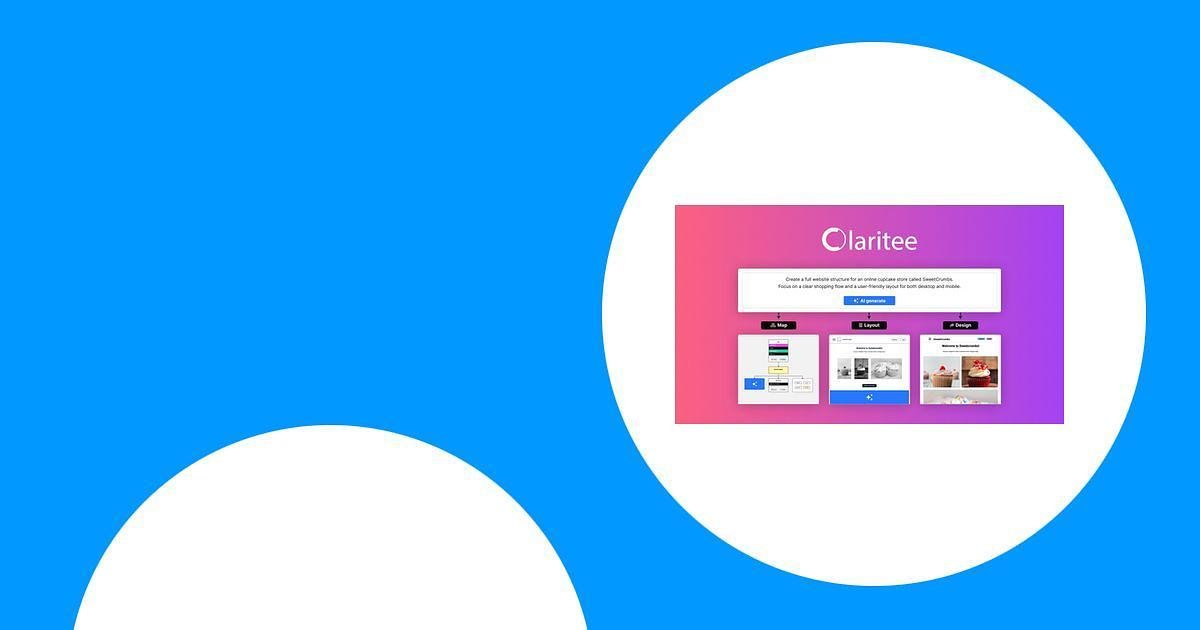
I look at Claritee because it promises to make early website and app planning faster and clearer. In this review I explain why Claritee matters for teams and solo designers, how it speeds up sitemaps and wireframes with AI prompts, and why I think its AppSumo offering is worth considering. If you want a tool that helps you design faster with AI-driven wireframes and keep everyone aligned from content to UX, this review will help you decide.
TL;DR
|
Feature |
Verdict |
|---|---|
|
Ease of Use |
⭐️⭐️⭐️⭐️⭐️ ⏱️ – Very intuitive; I was able to start mapping and wireframing quickly |
|
Features & AI |
🎨 – Solid AI Design and wireframe controls that move concepts toward structured layouts |
|
Collaboration |
🔍 – Real-time sitemapping and team alignment make handoffs smoother |
|
Value (Claritee AppSumo) |
⭐️⭐️⭐️⭐️ 💸 – Strong value at $109 compared with a retail price around $329 |
Claritee
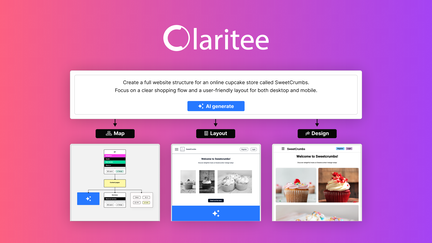
I’ve been using Claritee for mapping sites, sketching wireframes, and running early client calls. It feels like a lightweight design compass: you can quickly lay out sitemaps, create clean wireframes, and use AI prompts to flesh out ideas or move layouts toward structured designs.
For day-to-day work I use it to align teams in kickoff meetings and to hand off clear architecture to designers or devs. For one-off occasions — like pitching a rapid prototype or prepping a client review — it gets you to a presentable state fast. I first noticed Claritee on AppSumo and many people mention the Claritee appsumo deal in conversations; that was how I tried it and kept using it.
If you build or plan websites, I’d recommend giving Claritee a spin for faster, clearer planning.
Pros and Cons
|
Pros |
Cons |
|---|---|
|
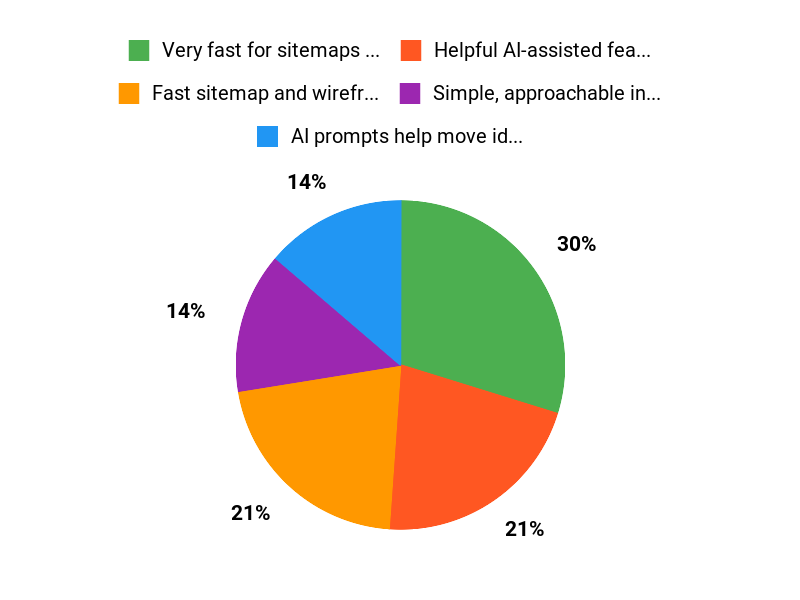
✅ Very fast for sitemaps and basic wireframes |
❌ Some users report pricing/plan confusion related to AppSumo campaigns |
|
✅ Helpful AI-assisted features for layout and content |
❌ Occasional minor bugs (small editing quirks reported) |
|
✅ Simple, approachable interface with useful in-dashboard help |
❌ Not a full design tool replacement for high-fidelity UI work |
|
✅ Active development and support team |
What People Say
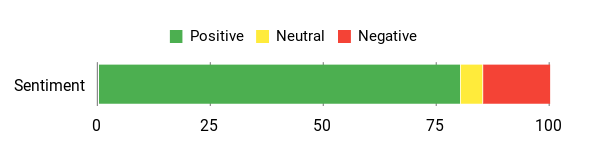
Across Claritee reviews people often highlight how it speeds up early project stages, improves team alignment in kickoff calls, and makes wireframing more intuitive. A few users call out excellent support and steady feature updates; a minority raise concerns around AppSumo plan limits and historical pricing differences.
Overall Sentiment: Positive
🗣️ B.76858
Claritee has become a must-have step for first meetings with clients and the team, helping everyone know where we’re coming from, where we’re going, and whether we’ve stayed on track. It’s great for content, architecture, and UX alignment, and their support team is responsive.
🗣️ emanuele.baldassarri
A game-changer for sitemapping and wireframing — the interface is intuitive, it speeds up workflows, and the real-time collaboration improves team productivity. Frequent updates mean small bugs get fixed quickly.
Long-Term Cost Benefits
Buying Claritee at the current price saves time on planning and reduces back-and-forth during projects. For agencies the time saved on scoping and early wireframes can offset the cost within a few projects, especially when factoring fewer revisions and clearer handoffs via exported layouts.
Return On Investment
Because Claritee shortens discovery and wireframing phases, most teams see ROI through faster project turnaround and fewer scope changes. If you bill hourly, one or two saved hours per project can cover the cost quickly; for teams it lowers rework and speeds delivery.
Usability
|
Aspect |
Ease Level |
Notes |
|---|---|---|
|
Onboarding |
Easy |
Simple interface and short in-dashboard help videos make getting started quick. |
|
Wireframing |
Easy |
Drag-and-drop and AI prompts streamline creating layouts and sitemaps. |
|
Collaboration |
Moderate |
Real-time collaboration works well, though a few editing quirks have been reported. |
Performance & Speed
Responsive for most tasks; AI actions speed up content and layout generation, making iterations faster than manual wireframing.
Integrations
|
Software |
Integration Quality |
|---|---|
|
Figma |
Good |
|
Slack |
Basic |
|
Notion |
Basic |
Security
|
Feature |
Protection Level |
|---|---|
|
Data Encryption |
High |
|
Access Controls |
Medium |
|
Backups |
Medium |
Collaboration
Real-time collaboration, shared sitemaps, and easy handoffs help teams stay aligned during client calls and internal reviews.
Updates
The team releases updates frequently; users report weekly improvements and prompt fixes for small bugs.
Key Benefits
- Fast sitemap and wireframe creation
- AI prompts help move ideas toward structured designs
- Good team alignment in client and internal meetings
- Frequent product updates and responsive support
Current Price: $109
Rating: 4.86 (total: 44+)
FAQ
What Is Claritee And Who Is It For?
I built this answer to be practical: Claritee is a design and wireframing tool that helps you map sitemaps, create wireframes, and move layouts toward production with AI-assisted features. I love that it combines simple drag-and-drop structure with AI Design capabilities so you can quickly prototype pages and even export clean HTML.
From my experience and Claritee reviews, teams, freelancers, and web agencies find it most valuable for client kickoff meetings, aligning content and UX, and speeding up early-stage design.
How Does Claritee Pricing And AppSumo Offers Work?
I know pricing can be confusing: Claritee is commonly listed around $109 for some plans, and you’ll also see deals on AppSumo that bundle different limits or credits. I recommend checking the exact plan limits before you buy because seasonal promotions and marketplace deals sometimes present different temporary prices or bonuses.
I’ve seen users raise concerns about comparability between direct site Black Friday offers and Claritee appsumo packages; my advice is to confirm whether the offer you’re viewing includes the same limits, AI actions, or support level, and contact support to clarify any discrepancy before purchasing. If you’re on the fence, I also look at Claritee reviews and average ratings to judge ongoing product improvements and support responsiveness.
How Do I Use Claritee Effectively And What Should I Watch Out For?
I recommend starting with a quick template and inviting teammates to collaborate so we can align structure and content from day one. Use the AI features to turn sitemap outlines into wireframes, then refine by exporting HTML when you need a developer-ready starting point.
Practical tips I follow are to save frequently, test the AI actions on a small page to learn how they consume your monthly quota, and use the in-app support if you hit a snag; many users praise the fast help. Be aware of a few common issues mentioned in Claritee reviews, like small editing quirks that sometimes require confirming edits, and the occasional question around promotional limits; these are typically resolved by updates or support, but I always validate limits and export needs before committing a big project.
Why Customers Choose Claritee
We choose Claritee because it gives us an intuitive, reliable platform that streamlines workflows and makes collaboration effortless without a steep learning curve. Its flexible integrations, customizable features, and responsive support let us tailor the tool to our needs and keep projects moving forward.
Wrapping Up
In short, Claritee is a practical tool I recommend for teams and designers who want to speed up sitemap and wireframe planning and take advantage of AI-assisted layout ideas. It balances an easy learning curve with useful collaboration and AI Design features, and the AppSumo price of $109 represents compelling value compared with the usual retail positioning.
Be aware of a few minor bugs and occasional questions around promotional pricing and limits for AppSumo users, but overall the product delivers strong productivity gains and responsive support.
This Roundup is reader-supported. When you click through links we may earn a referral commission on qualifying purchases.