

I tried FuseBase because I wanted a single place to automate teamwork, manage client collaboration, and reduce busywork. This topic matters because choosing the right workspace can save hours of repetitive tasks and keep knowledge organized across projects.
FuseBase promises AI-powered workspaces with 24/7 agents, integrations, and a centralized knowledge base, which can help me and you move faster and focus on higher-value work.
TL;DR
|
Feature |
Verdict |
|---|---|
|
Ease of Use |
⭐️⭐️⭐️⭐️ – ⏱️ Clean onboarding and fast setup; I was productive quickly |
|
AI & Automation |
⭐️⭐️⭐️⭐️⭐️ – 🤖 Strong built-in agents and automation that actually reduce busywork |
|
Mobile Experience |
⭐️⭐️⭐️ – 📱 Mobile features lag behind desktop; important if you live on your phone |
|
Value (AppSumo) |
⭐️⭐️⭐️⭐️⭐️ – 💸 Lifetime deal on AppSumo ($79) makes FuseBase a very compelling value |
|
Support & Community |
⭐️⭐️⭐️⭐️⭐️ – 🧑🤝🧑 Support is responsive and the team iterates based on feedback |
FuseBase
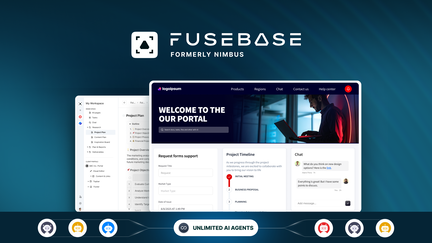
I started using Fusebase as a way to stop juggling half a dozen apps. It quickly became my single source of truth for project docs, client collaboration, and quick notes. The AI agents are genuinely helpful — they transcribe voice memos, surface the right info, and automate repetitive tasks so I can focus on actual work.
For day-to-day use I rely on it for meeting notes, roadmaps, and research clippings via the browser extension. For special projects or client work it shines as a shared workspace with CRM-like relationships and automation hooks.
If you’ve read other fusebase reviews, you’ll see the same: strong AI features, great support, and a clear path to replacing multiple tools. If you’re on AppSumo, the lifetime pricing makes fusebase appsumo deals especially attractive as a way to lock in value long-term.
Pros and Cons
|
Pros |
Cons |
|---|---|
|
✅ Powerful AI agents that actually save time |
❌ Mobile experience is still limited and can be frustrating |
|
✅ All-in-one workspace for docs, CRM-ish relationships, and notes |
❌ Some advanced automations and deeper AI automations could be improved |
|
✅ Simple onboarding and helpful support |
❌ Occasional rough edges as the product evolves |
|
✅ Browser extension for quick research capture |
|
|
✅ Excellent lifetime value on AppSumo |
What People Say
From fusebase reviews I’ve read and experienced, people praise the AI agents, the easy setup, and the support; on AppSumo the lifetime deal (fusebase appsumo) is often mentioned as a major plus.
Overall Sentiment: Positive

🗣️ cxu
I set up a workspace to organize project docs, roadmap, and notes; the AI agents transcribe voice memos and organize them automatically. The browser extension makes saving research effortless, and setup was easier than I expected.
🗣️ Mark_vG
Everything felt like a real single source of truth. The built-in AI makes things smoother and the support has been brilliant — that after-sale experience is why I moved everything here.
Long-Term Cost Benefits
Choosing the $79 lifetime option instead of several monthly tools (even two $15–$20 tools) can save hundreds yearly; you avoid subscription creep and consolidate costs into a single predictable investment.
Return on Investment
If you’d otherwise pay $50–$80/month for multiple apps, the $79 lifetime price can pay for itself within 1–2 months. For teams, consolidating tools reduces admin overhead and integrations costs, improving ROI further.
When It Helps Most
|
Situation |
How It Helps |
|---|---|
|
Side projects and solo work |
Quick setup, AI agents for notes and voice memos, and low-cost lifetime access make it easy to keep everything organized without recurring fees. |
|
Client collaboration |
Shared workspaces, comments, and CRM-style relationships let you manage client information and handoffs in one place. |
|
Research and knowledge management |
Browser extension and interconnected databases let you capture, tag, and retrieve research quickly. |
Ease of Use
|
Feature |
Ease Level |
|---|---|
|
Initial Setup |
Easy |
|
Browser Extension |
Easy |
|
AI Agents |
Moderate |
|
Database/Relationship Builder |
Moderate |
|
Mobile Experience |
Difficult |
Usability Notes
|
Aspect |
Ease Level |
Notes |
|---|---|---|
|
Onboarding |
Easy |
Straightforward setup without heavy onboarding. |
|
Mobile Access |
Difficult |
Limited mobile support — many users spend time on mobile and notice gaps. |
|
Collaboration |
Moderate |
Shared workspaces and comments work well, but complex workflows may need refinement. |
|
Integrations |
Moderate |
Webhooks and n8n integrations are useful; deeper native integrations could expand capabilities. |
Integration Capabilities
|
Software |
Integration Quality |
|---|---|
|
n8n (via webhook) |
Good |
|
MCP/webhooks |
Good |
|
Browser extension |
Good |
|
Built-in CRM/Databases |
Moderate |
Collaboration
Shared workspaces, comments, client-focused views, and AI-assisted summaries help teams stay aligned and reduce back-and-forth.
Workflow Management
Automations and AI agents can handle routine workflows, while webhooks and database links let you chain more complex processes.
Key Benefits
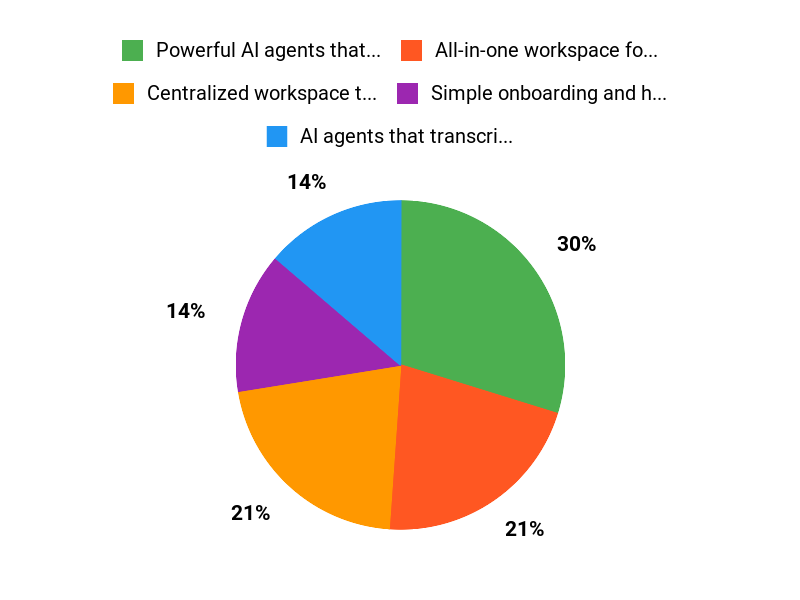
- Centralized workspace that replaces multiple apps
- AI agents that transcribe, organize, and automate tasks
- Easy web clipping with a useful browser extension
- Good integration options (webhooks, n8n) for automations
- Strong support and active product development
Current Price: $79
Rating: 4.79 (total: 501+)
FAQ
Is FuseBase Worth The Price?
I look at value in two ways: features and long-term cost. With fusebase you get an all-in-one workspace that bundles notes, automations, AI agents, and collaboration, so I don’t need a dozen separate tools. If you find the AppSumo lifetime deal, the price can be very attractive — many offers sit around $79 compared with original prices like $468 — so I often recommend weighing that lifetime saving against monthly subscriptions you’d otherwise pay.
I read many fusebase reviews that praise the single source of truth and helpful support, so if you want consolidation plus AI helpers, I think the cost can be justified. If your needs are tiny or you rely heavily on a mature mobile app today, I’d test the workflow first before committing.
How Does FuseBase Work Day To Day, And What About Mobile?
I use fusebase mostly on desktop for heavy work and for organizing databases and client projects, because the platform currently feels desktop-first. Multiple fusebase reviews mention great AI agents, browser extension, and transcription features that speed workflows, but a common piece of feedback is that the mobile experience still needs improvement.
My practical tip is to use the browser extension and voice memo features for quick captures, keep the desktop for complex editing and CRM-like databases, and set up simple automations early so repetitive tasks run without hands-on time. If mobile parity is a must for you, factor that into your decision or confirm the roadmap and mobile timeline on the fusebase appsumo page before buying.
What Should I Know About Support, Security, And Integrations?
I check support responsiveness, integrations, and safety before adopting any tool. From what I’ve seen in fusebase reviews, support is frequently praised and the team actively replies to user feedback.
FuseBase promotes secure, AI-powered workspaces and I advise you to review their security docs, enable workspace permissions, and set up backups or exports for critical data. Integration-wise, people praise webhooks and connections like n8n, and some reviews mention using MCP and webhooks to centralize knowledge. My tip is to test your key integrations with a small workspace first, confirm data flows and exports, and keep an eye on official updates about database features and mobile plans so you can scale safely.
Why Choose Fusebase
We choose FuseBase because it makes complex data integration simple and reliable, with an intuitive interface and strong performance that scales as our needs grow. Customers prefer it for its flexibility, solid security and integrations, and responsive support that helps us move faster without surprises.
Wrapping Up
I recommend FuseBase if you want a centralized, AI-enhanced workspace and you value support and long-term product evolution. The product shines with useful AI agents, solid automations, a Notion-style database direction, and excellent support—reasons cited across many fusebase reviews.
The biggest downside right now is mobile: several reviewers and I noticed the experience is less polished than desktop. For AppSumo buyers, the $79 lifetime price makes FuseBase a strong value compared with paying for multiple separate tools. Overall, FuseBase delivers a powerful, evolving platform that’s especially attractive for teams and makers who want AI-driven knowledge management without a big recurring cost.
This Roundup is reader-supported. When you click through links we may earn a referral commission on qualifying purchases.